Mix and Match v2.9.0 – Not Sold Separately Built In, Category Variations & Print Document Updates
This release builds the Not Sold Separately feature into Mix and Match, lets category-sourced containers include product variations, refreshes the Print Invoices & Packing Lists integration, and reworks the edit-from-cart flow. It also fixes a set of subscription, category heading and cart notice issues. A one-click database update runs after you upgrade.
Note: After updating, WooCommerce shows a Mix and Match Products for WooCommerce database update required alert on WooCommerce → Home. Select Update Database; it runs in the background and finishes in seconds. If you use the Not Sold Separately for WooCommerce mini-extension, deactivate and delete it once the update has run: the feature now lives in Mix and Match itself and your existing settings carry over.
New
Not Sold Separately is now part of Mix and Match
Restricting a product so it can only be bought inside a Mix and Match container no longer needs a separate plugin. Tick Not sold separately on the product’s Inventory tab (per variation for variable products) and the product’s own page drops its Add to cart button in favour of links to the bundles that include it, while staying fully selectable inside your containers. The standalone Not Sold Separately for WooCommerce mini-extension is retired; upgrading migrates its settings automatically. Full walkthrough: How to Prevent Products from Being Sold Outside Mix and Match Bundles.
Category contents now include variations
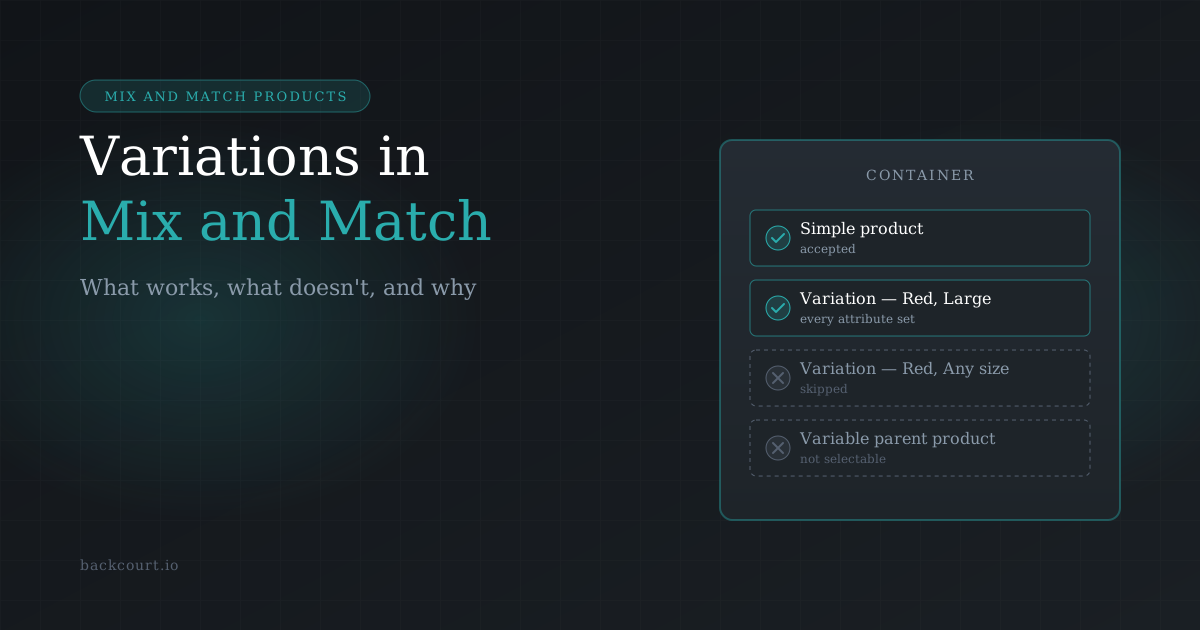
Containers that pull their contents from product categories now include the variations of any variable products in those categories, alongside the simple products. Variations with an Any attribute value are still excluded, as they are when adding products individually. To keep category contents to simple products only, add this snippet:
add_filter( 'wc_mnm_category_child_items_include_variations', '__return_false' );
Updates
Compatibility with WooCommerce 11.0
Mix and Match has been tested and confirmed compatible with WooCommerce 11.0.0.
Refreshed Print Invoices & Packing Lists integration
The styles for the WooCommerce Print Invoices & Packing Lists integration have been revamped. Containers and their contents display consistently across invoices, packing lists and pick lists, whether the container is packed together or packed separately.
Reworked edit-from-cart flow
Editing a container’s selections from the cart now returns the customer to the cart once they save their changes, with a “Cart updated.” notice, so they see the updated container straight away. Stores that add to cart via AJAX keep their current behaviour. To stay on the product page after editing instead, return false from the new wc_mnm_edit_in_cart_redirect_to_cart filter. This should also play better with side-cart and mini-cart plugins.
Fixes
Subscription scripts load correctly with WooCommerce Subscriptions 9
Fixed the frontend subscription compatibility scripts not loading on WooCommerce Subscriptions 9, where All Products for WooCommerce Subscriptions is bundled into core. Subscription options on Mix and Match products now work as expected on Subscriptions 9.0 and newer.
Subscription prices calculate when a child item is not purchasable
Fixed a failure to calculate subscription prices when a container contained a child item that is not purchasable on its own.
Category-sourced containers found correctly from their child products
Fixed query_containers_by_product() not returning containers that use category contents, so a product’s “part of” relationships now include category-sourced containers (#577).
Add to cart button hidden when the container is not purchasable
The add-to-cart/mnm-add-to-cart-button.php and mnm-container-status.php templates now hide the Add to cart button when the container itself is not purchasable (#597).
Thumbnails keep a minimum size
Child product thumbnails now have a minimum size, so very small images no longer collapse in the container layout (#598).
No more quantity change notices for child items
Changing a container’s quantity in the cart no longer triggers a “quantity changed” notice for each child item (#596).
Correct category heading when a whole category is out of stock
Fixed a category-sourced container showing the wrong category heading when every item in one of its categories is out of stock: the heading no longer carries the emptied category’s name over the next group (#606).
Improvements
Child item status uses the standard stock template
Child item availability now renders through WooCommerce’s stock.php template, so stock status text follows your theme’s styling and any customisations you have made to that template.
No more frontend icon font
Frontend icon characters are now plain HTML characters, so Mix and Match no longer loads a font file on the storefront. One less request per page, and no more missing-glyph boxes on themes that block third-party fonts.
Note for developers:
WC_Product_MNM_Data_Store_CPT::query_containers_by_product()now returns a non-associative array. If your code relied on the old keys, update it.
Why this matters
- Bundle-only products without a second plugin to install or keep updated
- Category-sourced containers can offer sizes, colours and other variations without listing every product individually
- Invoices and packing lists that show containers and their contents consistently
- A smoother cart editing experience, including with side-cart plugins
- Subscription options that work out of the box on WooCommerce Subscriptions 9
- Correct headings, fewer cart notices and cleaner storefront loading